In this guideShow
What to prepare before you fly
The most common mistake is arriving with one card and starting the setup at the airport. Mobile payments depend on your phone, data connection, card issuer and the app’s own security checks, so give yourself a calm evening at home.
- Install the official apps — Alipay and WeChat from the App Store or Google Play. Do not use download links from adverts or unknown QR codes.
- Register with your own mobile number and keep roaming on so verification SMS messages arrive while you travel.
- Prepare two cards from different banks — ideally Visa and Mastercard — and tell your banks you will be paying in China.
- Use the name exactly as in your passport wherever the app asks for identity details.
- Sort out mobile data: an eSIM or roaming plan matters as much as the payment app. See the China eSIM guide.
Alipay vs WeChat Pay: which should you use in China?
You do not have to pick a winner. Install both, but start with Alipay — it has an English interface, transport codes and travel mini-programs that make it the easier first wallet for most visitors. WeChat Pay matters wherever a merchant or service lives mainly inside WeChat, and WeChat is also how most people in China message each other.
| Option | Best for | Main limitation |
|---|---|---|
| Alipay | QR payments, metro and bus codes, ride-hailing and travel mini-programs | Not every mini-program accepts a foreign card |
| WeChat Pay (Weixin Pay) | Shops, restaurants and services that run inside WeChat | A linked foreign card does not unlock every domestic wallet feature |
| Physical card | Large hotels, airports, malls, tourist sites and Shenzhen Metro gates | Often not accepted at small restaurants and stalls |
| RMB cash | Backup when a phone, signal or card fails | Small vendors may lack change for large notes |
How to set up Alipay with a foreign card
- Download Alipay and register with your mobile number. The app has an English interface.
- Go to Me → Bank Cards and choose to add a card.
- Enter your card details exactly and complete your bank’s check if one appears.
- If the app asks you to verify your identity, use your passport details as printed, in good light and on a stable connection.
- After you arrive, make a small test payment and check which card the app used.
Alipay is more than a wallet. In supported cities you can activate a metro or bus code from the transport section, and mini-programs let you book rides or buy tickets. Availability with a foreign card can differ between services, so treat each new one as something to test, not something guaranteed. My essential China apps guide covers the ones worth installing.

How to set up WeChat Pay with a foreign card
- Install or update WeChat and register or sign in with your mobile number.
- Open Me → Services → Wallet → Bank Cards. Menu names can shift slightly after app updates.
- Add your card. Official guidance lists Visa, Mastercard, American Express, JCB, Discover and Diners Club International as supported networks.
- Confirm any check from your bank, then test with a small payment.
A foreign card in WeChat Pay usually works for paying merchants. Personal transfers, balance features and red packets may not, so do not read “card added” as “every feature works”.
Alipay and WeChat Pay limits and fees for foreigners
These figures apply to international cards linked to Alipay or Weixin Pay and come from official Shanghai government guidance published in September 2026. They are a general framework, not a promise for every account: check the payment confirmation screen before any large purchase.
| Item | General rule | What to check |
|---|---|---|
| Single transaction | Up to US$5,000 | Your app, the merchant or your bank may set a lower limit |
| Annual total | Up to US$50,000 | The app may ask for extra verification |
| Payment of RMB 200 or less | Generally no platform service fee | Your bank’s foreign-transaction fee can still apply |
| Payment above RMB 200 | Fee of 3% of the full amount may apply | Promotional waivers change; read the fee before confirming |
The platform fee is not the only cost. Your bank may convert RMB at its own rate or add a foreign-currency fee. For a large purchase, compare paying directly by card with paying by QR code, and split very large amounts only where the merchant agrees.
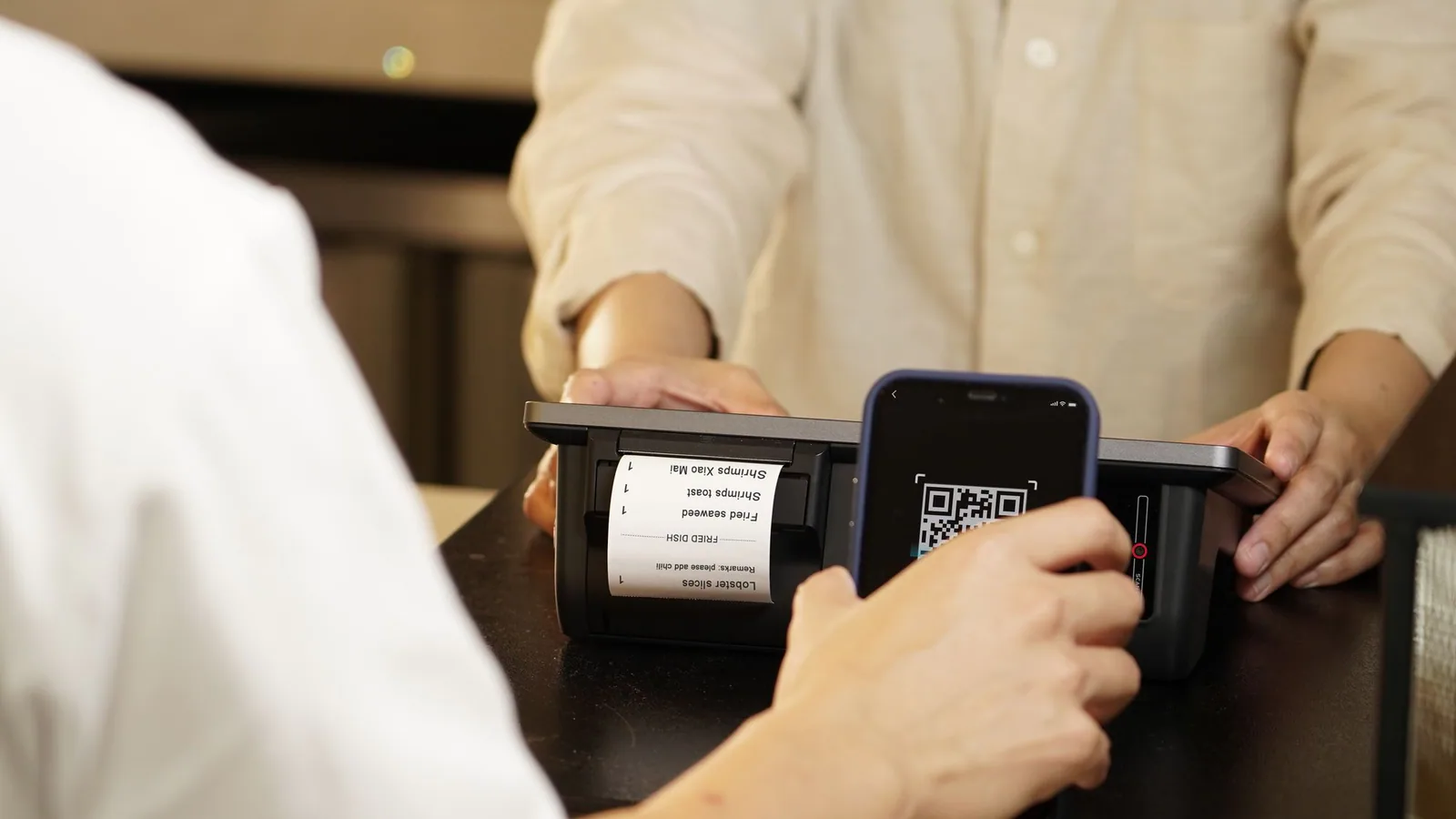
How to pay at the counter, step by step
- You scan them: tap Scan in the app, point at the merchant’s QR code, check the merchant name, enter the amount if asked and confirm.
- They scan you: open your live Pay code and let the cashier scan it. Never use a screenshot of the code.
- Metro and buses: activate the transport code in Alipay in supported cities, or tap a contactless card where the gate supports it.
Always wait for the success screen before you walk away, and check that the amount and currency are right.


Does a physical card or cash still work in China?
Yes, but acceptance depends on the place. Look for your card network’s logo on the terminal: large hotels, airports, malls and tourist sites are the most likely to accept it. In Shenzhen, the city announced in July 2026 that all metro fare gates had been upgraded to accept contactless overseas bank cards, with the service still in a trial phase.
RMB cash is legal tender and still useful as a backup, but small vendors may not have change for large notes. Carry smaller denominations. Hong Kong and Macau are separate payment environments: in Hong Kong, an Octopus card and direct card payments matter more. If you are crossing the border, read the Hong Kong to Shenzhen guide.
What to do when Alipay or WeChat Pay fails
| Problem | First thing to try |
|---|---|
| The card will not link | Check the name matches your passport, allow online and foreign payments in your banking app, then try your second card |
| No verification SMS | Check roaming, the number format with country code and any SMS blocking; retry on Wi-Fi |
| Payment declined | Read the message, check your bank app for a fraud alert, then switch card or app — do not retry the same card many times in a row |
| Identity check stuck | Use good light, a flat passport page and a stable connection; try again later |
| Over the limit | Pay part by direct card or cash, or plan the large purchase in advance |
Safety and scams to avoid
- Start every payment from the official app, not from a link or a saved photo.
- Read the merchant name before confirming. If it does not match the business, stop and ask.
- Check that a printed QR code has not been covered with a sticker.
- Do not hand your unlocked phone to strangers who offer to “help” with a payment.
- Use biometrics or a strong payment password, and turn on alerts in your banking app.
Sources and how this guide was checked
Checked on 22 October 2026. Limits, supported cards, promotions and app menus change, so reopen the sources before you travel and follow what your own account shows.
- Shanghai Municipal Government — foreign cards, limits and fees (21 September 2026): US$5,000 per transaction, US$50,000 per year, 3% above RMB 200.
- Shanghai Municipal Government — setting up Alipay and Weixin Pay (20 September 2026): registration, card linking and supported WeChat Pay networks.
- Shenzhen Government Online — overseas bank cards at metro gates (30 July 2026).